
When you’re looking to upgrade your gaming or work setup, choosing a 144hz monitor makes a significant difference in how smooth and immersive your experience feels. You want visuals that not only look sharp but also keep up with fast action without blur or lag.
This is why understanding the benefits of a 144Hz refresh rate and selecting the right monitor can improve your gameplay, reduce eye strain, and make every frame count. Whether you’re competing in fast-paced games or simply want a buttery-smooth display for daily use, the right 144Hz monitor helps you see every detail clearly and respond instantly, giving you an edge and a more enjoyable experience overall.
Top Picks
- 🏆 Best Overall: LG UltraGear QHD 27-Inch Gaming Monitor 27GL83A-B – $237.00
- 💰 Best Value: MSI PRO MP243L E14 24-inch IPS FHD Monitor – $84.99
- ⚡ Best Performance: ASUS TUF Gaming 27″ 1080P Monitor VG277Q1A – $189.99
How We Selected the Best 144Hz Monitors
To ensure you get the best experience from your 144hz monitor investment, we prioritized several key features. First, refresh rate and response time are essential for smooth gameplay and crisp visuals, helping you avoid motion blur and lag.
Second, screen resolution and panel technology affect image clarity and color accuracy, so IPS or similar panels were favored for their vibrant colors and wide viewing angles. Ergonomics and adjustability were also important, as comfort during long sessions reduces fatigue.
Lastly, we considered additional features like adaptive sync technologies (NVIDIA G-SYNC or AMD FreeSync) to eliminate screen tearing. Price and user ratings helped us balance value and quality, making sure you find a monitor that suits your needs and budget.
LG UltraGear 27GL83A-B
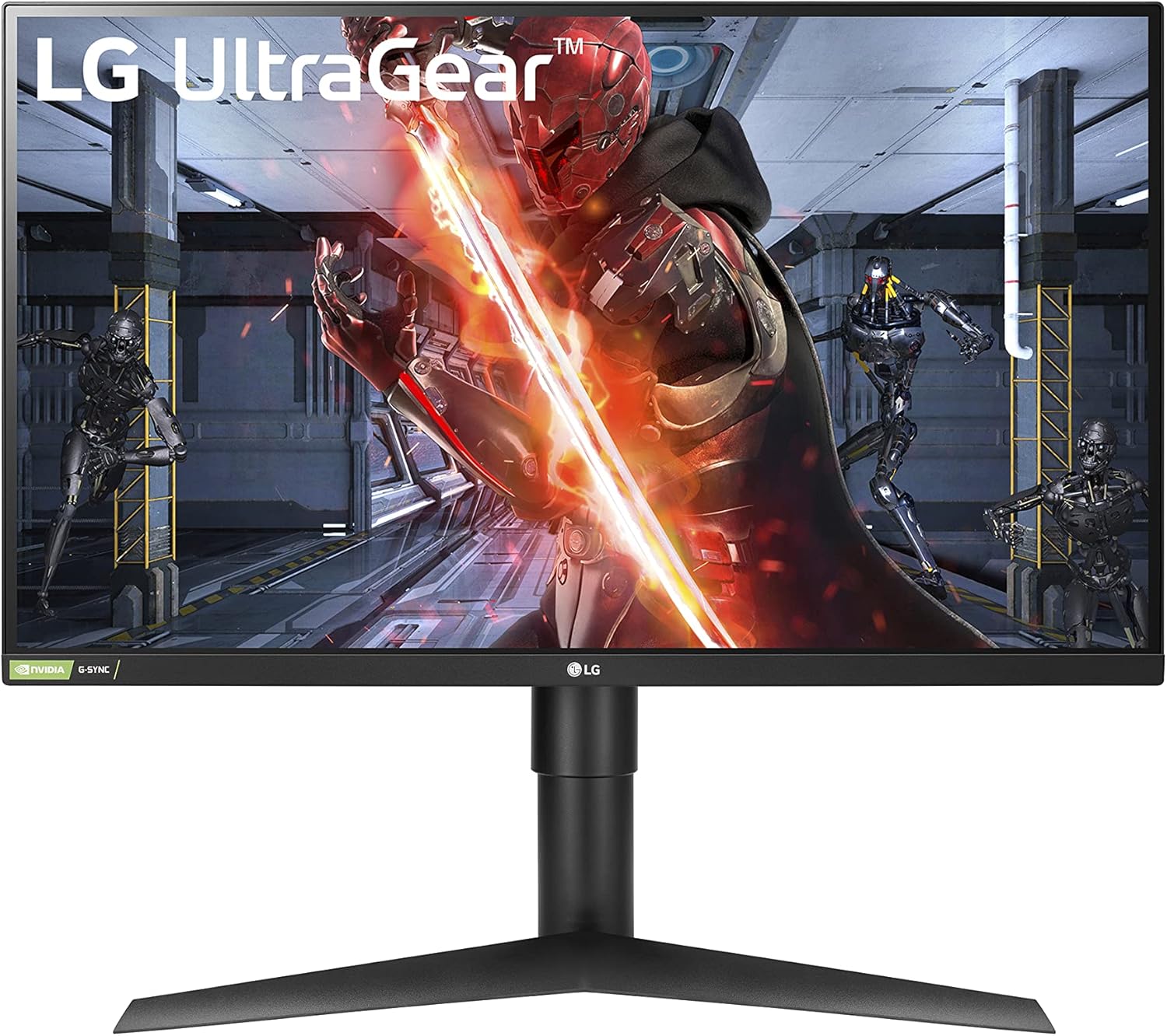
If you’re looking for a 144hz monitor that balances crisp visuals with smooth gameplay, this LG UltraGear 27-inch model might just be what you need. It’s designed to handle fast-paced gaming with a 1ms response time and a vibrant QHD IPS display that really makes colors pop and scenes come alive. Whether you’re gaming, working, or just binge-watching your favorite shows, the adjustable stand adds a lot of comfort for those long sessions.
It supports NVIDIA G-SYNC and AMD FreeSync, so screen tearing and stutter aren’t really an issue here, which is a big deal if you care about fluidity. Plus, HDR10 compatibility helps make HDR content look better, even if it’s not the latest HDR tech.
So it’s pretty versatile—great for gaming, content creation, or everyday use without burning a hole in your wallet.
Pros and Cons
Pros:
- ✅ Great price for a high-quality 144Hz 27-inch gaming monitor
- ✅ Excellent color accuracy and wide viewing angles with IPS panel
- ✅ Smooth gameplay with G-SYNC and FreeSync support
- ✅ Easy setup with a sturdy, ergonomic stand
Cons:
- ❌ No built-in speakers, so you’ll need external audio
- ❌ HDR support isn’t the latest tech and can feel limited
- ❌ Stand takes up a bit of desk space
What People Say
Most users love the smoothness and sharpness this 144hz monitor delivers, especially at its price. The adjustable stand and solid build get plenty of praise, though some note the HDR isn’t top-tier and speakers are absent, so plan for external audio.
Built to Last
This monitor’s solid construction and quality materials give it a reassuring feel. Users report it holds up well after a year of daily use without any issues, so it should stay reliable through your gaming marathons.
What’s New?
While it doesn’t push the boundaries with HDR tech, this LG sticks to what works: a fast IPS panel coupled with NVIDIA G-SYNC and AMD FreeSync, which keeps gameplay buttery smooth without screen tearing. It hits a sweet spot that many gamers will appreciate without overcomplicating things.
Response Speed
With a 1ms gray-to-gray (GtG) response time, this 144hz monitor eliminates noticeable blur and ghosting, making those quick movements in games feel clean and responsive.
Trustworthy Performance
Users consistently mention the stable and consistent performance of this monitor, with minimal issues or glitches. The DisplayPort and HDMI inputs work perfectly for most setups, though one reviewer noted occasional quirks with included cables.
Customer Support
LG provides solid customer service and warranty support. Plus, with tons of users worldwide, there’s plenty of online resources and communities to help you troubleshoot or tweak settings.
Why You’ll Like It
- Smooth 144Hz refresh rate with 1ms response for blur-free gaming
- Vivid QHD IPS panel with wide viewing angles and vibrant colors
- NVIDIA G-SYNC and AMD FreeSync support to eliminate tearing
- Ergonomic adjustable stand for tilt, height, and pivot
- HDR10 compatibility adds a nice boost to visuals
Current Price: $237.00
Rating: 4.5 (total: 12,464+)
ASUS TUF Gaming VG277Q1A

If you want a 144hz monitor that really elevates your gaming with smooth performance and sharp visuals, the ASUS TUF Gaming 27-inch model is worth checking out. It’s got a Full HD display that handles fast action with a 165Hz refresh rate and a lightning-fast 1ms response time. That means less blur and lag when things get hectic. Plus, features like FreeSync Premium keep the gameplay smooth without annoying screen tears.
It’s not just for gaming—thanks to Shadow Boost and eye care tech, dark scenes get brighter and your eyes get less tired during long sessions, whether you’re grinding games or binge-watching shows. The adjustable stand helps you find the perfect angle, and its solid build makes it feel like it’ll stick around for a while. Whether you’re upgrading your setup or building from scratch, this monitor balances great specs with a friendly price.
Pros and Cons
Pros:
- ✅ Great value for a 27-inch 144hz monitor with 165Hz support
- ✅ Excellent color and sharpness with FreeSync Premium for smooth visuals
- ✅ Fast 1ms response time keeps motion crisp in fast games
- ✅ Eye Care technologies reduce fatigue over long play sessions
- ✅ Solid, adjustable build fits well in most setups
Cons:
- ❌ Monitor sits a bit low on desk without aftermarket stand
- ❌ Controls located on the back can be tricky when using multiple monitors
- ❌ Longer boot-up time compared to some older monitors
What People Say
Gamers remark on how impressed they are with the color quality and smoothness this 144hz monitor delivers, especially at its price point. Most say setup is straightforward, and the eye care features make marathon gaming less tiring. Some mention minor setup quirks, but overall it’s a dependable workhorse for the price.
Durability
The ASUS TUF Gaming VG277Q1A is built with sturdy materials that give it a solid feel. Many users report no issues after months or years of use, so it’s likely to last through your gaming marathons and daily tasks without any hiccups.
Innovation Highlights
This monitor combines classic high-refresh tech with FreeSync Premium for tear-free gaming and shadow boosting that lets you spot details in darker scenes without overexposure. The inclusion of Eye Care tech for flicker-free viewing and low blue light makes long sessions much easier on your eyes.
Speed & Response
With a 1ms Extreme Low Motion Blur response time, this monitor handles fast graphics with minimal blur, making it great for first-person shooters and any speedy gameplay where every millisecond counts.
Reliable Performance
Users consistently find the VG277Q1A reliable for both gaming and everyday use. Connectivity via HDMI and DisplayPort works smoothly, and it handles a variety of systems well.
Some have noticed longer startup times, but it’s a minor trade-off for the great overall experience.
Support & Service
ASUS offers solid customer support along with warranty coverage. There’s also a ton of community and online resources if you want tips or troubleshooting help. Overall, getting help if you need it is straightforward.
What You’ll Love
- Smooth 165Hz refresh rate (supports 144Hz) for ultra-fluid gameplay
- 1ms Extreme Low Motion Blur cuts down ghosting and lag
- FreeSync Premium eliminates screen tearing and stutter
- Shadow Boost brightens dark areas for better visibility
- Eye Care tech reduces strain during long gaming or work sessions
- Adjustable tilt stand helps you find the perfect viewing angle
- Multiple ports: HDMI and DisplayPort for easy connectivity
Current Price: $189.99
Rating: 4.6 (total: 8,546+)
MSI PRO MP243L E14

If you’re after a 144hz monitor that’s great for both gaming and productivity, the MSI PRO MP243L E14 is a solid pick. It gives you smooth visuals with its 144Hz refresh rate and Adaptive-Sync, which means less screen tearing and lag whether you’re jumping into fast games or just scrolling through work.
The IPS panel keeps colors vibrant and consistent from wide viewing angles, so the picture looks good from almost anywhere. Add HDR Ready support and a flicker-free, anti-glare screen, and you get comfy viewing for long sessions.
It’s also pretty versatile with both HDMI and VGA ports, plus a VESA mount if you want to set it up on an arm or wall. If you want a no-fuss monitor that handles daily tasks and gaming without overcomplicating things, this one deserves a look.
Pros and Cons
Pros:
- ✅ Excellent smoothness with 144Hz refresh rate and 1ms response
- ✅ Impressive color accuracy and wide viewing angles thanks to IPS display
- ✅ Simple, intuitive controls with a slim bezel and clean design
- ✅ Good HDR support for better color and contrast
- ✅ Multiple input options including HDMI and VGA
- ✅ Anti-glare, flicker-free screen helps reduce eye strain
- ✅ VESA mount support for custom setups
Cons:
- ❌ Built-in speakers are underwhelming and not suitable for quality audio
- ❌ Power connector placement can interfere with flush wall mounting
What People Say
People generally love how easy this 144hz monitor is to get up and running, plus its crisp and vibrant picture quality. Its glare-free screen and color accuracy stand out, especially when used in bright environments.
The clean, logo-free design on the front is a nice touch that many appreciate for a distraction-free desk space.
Durability
The MSI PRO MP243L E14 feels well-made with a sturdy base and solid construction. Users report no issues after regular months of use, so it should keep up nicely whether you’re gaming or working. Its design and materials suggest it’s built to last through daily wear.
Innovation Highlights
This monitor stands out by pairing a high 144Hz refresh rate with Adaptive-Sync technology to cut down screen tearing and stutter. Also, MSI’s EyesErgo tech along with TÜV certification focuses on eye health, reducing flicker and blue light so you’re less fatigued during those long days or gaming nights.
Speed & Response
Thanks to a quick 1ms response time and the 144Hz refresh rate, motion stays smooth and clean, keeping blur and ghosting to a minimum. This means you’ll enjoy crisp action-packed scenes in games and quick response times in fast-paced work applications.
Reliable Performance
The monitor works consistently well across different systems without hiccups. No major complaints about flickering or connectivity issues, and the adjustable settings are straightforward, making it a dependable choice for a variety of setups.
Support & Service
MSI offers reliable customer support and warranty coverage, plus plenty of online resources if you need help. Getting assistance or warranty service, if necessary, is user-friendly and straightforward.
What You’ll Appreciate
- Smooth 144Hz refresh rate for fluid visuals whether gaming or working
- IPS panel offers vibrant colors and wide viewing angles
- Adaptive-Sync reduces screen tearing for a better experience
- HDR Ready boosts color and contrast when supported
- Matte anti-glare coating reduces eye strain over long sessions
- Versatile connectivity with HDMI and VGA ports
- VESA mountable and tilt adjustable for flexible setups
Current Price: $84.99
Rating: 4.6 (total: 714+)
FAQ
Why Should You Choose a 144Hz Monitor for Gaming and Everyday Use?
You want a monitor that offers both stunning graphics and smooth performance, and a 144Hz monitor perfectly delivers on that promise. The higher refresh rate means you see more frames per second, which significantly reduces motion blur and input lag, making fast-paced games feel buttery smooth and more responsive.
Beyond gaming, this smoother experience reduces eye strain during long work or streaming sessions. Plus, many models, like the LG UltraGear 27GL83A-B, combine a rapid 1ms response time with vibrant IPS panels to ensure colors stay rich and viewing angles wide.
Investing in a 144Hz monitor means you’re future-proofing your setup for both competitive gaming and immersive everyday use.
What Should You Consider When Buying a 144Hz Monitor to Get the Best Value?
When choosing your ideal 144Hz monitor, you need to consider the balance between resolution, size, and additional features. For example, the LG UltraGear offers a crisp QHD resolution on a 27-inch screen, providing detailed visuals and immersive gameplay for around $237.00 USD, excellent if you want sharp graphics without going 4K.
If you prefer a more budget-friendly option, the MSI PRO MP243L delivers smooth 144Hz performance at 24 inches with HDR readiness for just $84.99 USD, perfect for both work and casual gaming. Also, pay attention to adaptive sync technologies like NVIDIA G-SYNC or FreeSync to prevent screen tearing, and ergonomics such as tilt and height adjustability for comfortable long hours.
By evaluating these factors, you ensure the best bang for your buck without compromising on gaming fluidity or visual quality.
How Can You Optimize Your Experience When Using a 144Hz Monitor?
To truly get the most out of your 144Hz monitor, you want to ensure your system supports that refresh rate through the right connections like DisplayPort or HDMI. Monitors such as the ASUS TUF Gaming VG277Q1A, priced at $189.99 USD, support 165Hz but also work flawlessly at 144Hz, giving you extra headroom.
Make sure you enable features like FreeSync or G-SYNC in your graphics settings to eliminate screen tearing and achieve silky-smooth visuals. Additionally, consider your lighting environment; some IPS panels can show slight light bleed in dark rooms, so adjusting brightness helps reduce distractions.
Ergonomics matter too—use adjustable stands or VESA mounts to position your monitor for the best viewing angle and comfort during marathon gaming or work sessions. Following these tips, you’ll unlock a responsive, vibrant, and fatigue-free experience.
Wrapping Up
In conclusion, choosing a 144hz monitor can truly transform how you interact with your games and daily tasks by providing smooth motion, vibrant colors, and responsive performance. The LG UltraGear 27GL83A-B stands out as the best overall option with its impressive QHD resolution and adaptive sync support, perfect for immersive gaming.
If you want to maximize value without sacrificing quality, the MSI PRO MP243L offers a sharp 24-inch display at a budget-friendly price. For those who prioritize speed and performance, the ASUS TUF Gaming VG277Q1A delivers a high refresh rate and quick response time to keep up with fast action.
No matter which monitor you choose, investing in a 144Hz screen allows you to enjoy a more fluid and visually striking experience every time you turn it on.